I have an Audi Q5 8R 2012 with Symphony and a Raise RZ-AUDI01 + RZ-AUDI31 video converter.
The original Audi MMI image reaches Android, but it is repeated/distorted horizontally.
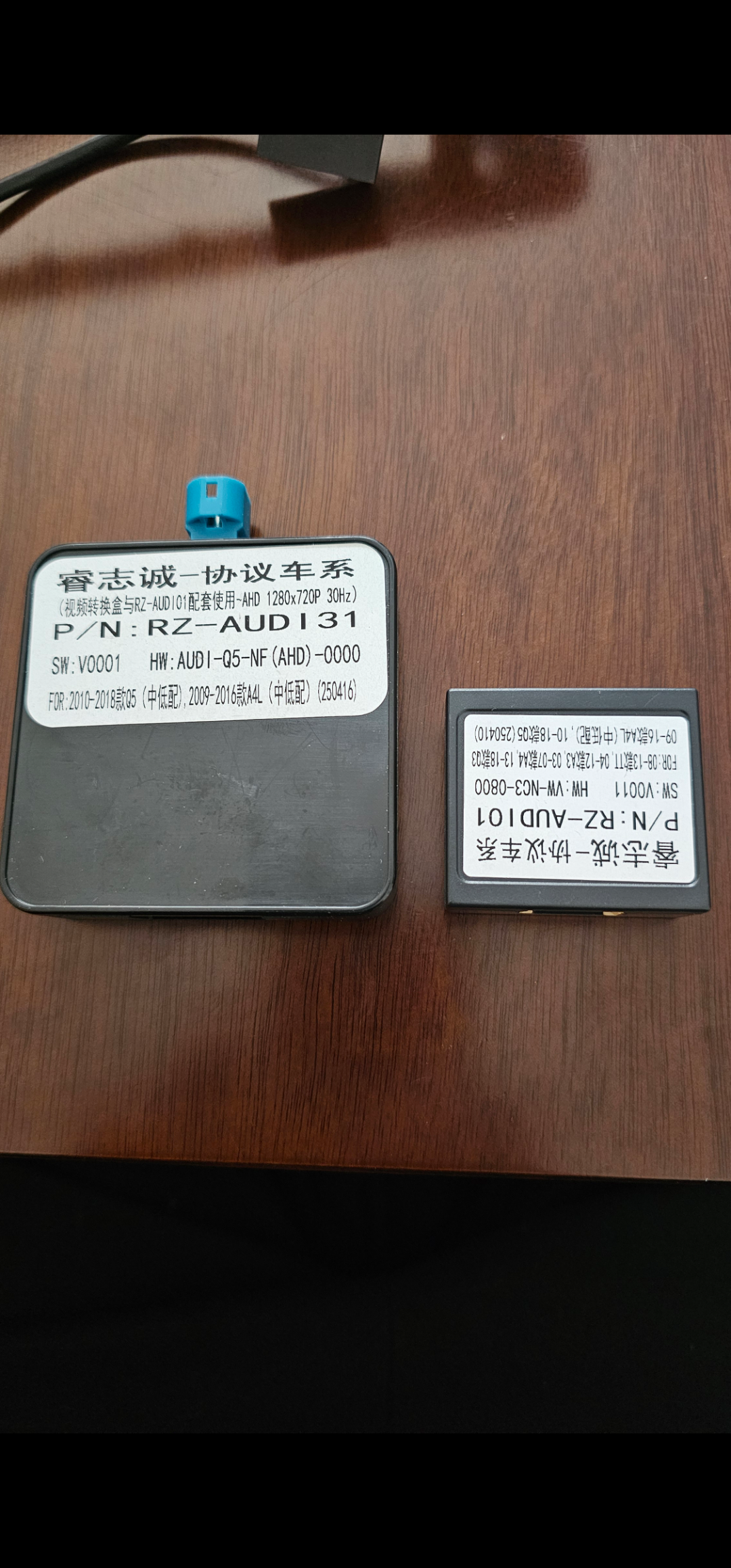
The RZ-AUDI31 label says AHD 1280x720P 30Hz, and Android is configured to 1280x720@30Hz.
I already tested:
720p25 / 720p30
Screen Size 0–1
Audi Q5 profile (85 05)
Audi A4L 2013 profile (85 07)
Center / Full Screen
The image remains distorted.
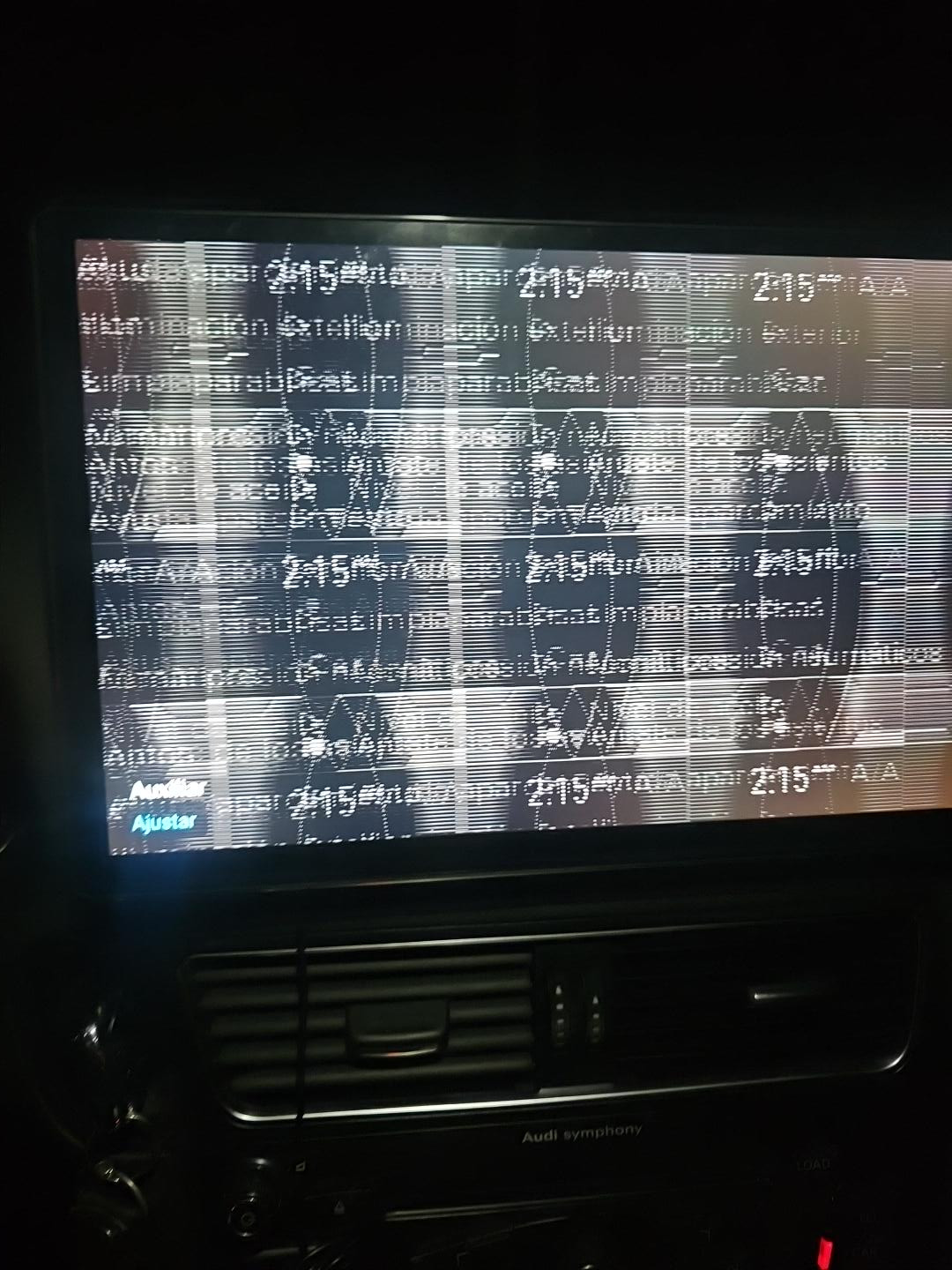
Does the RZ-AUDI31 have a hidden setting for OEM LVDS input type, such as:
Q5/A4L Low 400x240
Q5/A4L High 400x240
Q5/A4L High 800x480
Is there a CANBOX command, button shortcut, DIP setting, or firmware option to change this input mode?
