Android Head Unit Boot Animation Creation Tutorial
—————————————————————————————-
• Big Thanks to @manchik66 on the DUDUAUTO Global Telegram group and fbauto1 on XDAForums for creating the application.
• Please “Thank” fbauto1 on XDA for the app!
• Download and Extract Lucky Boot Animator (Windows PC only) from this DIRECT LINK
Video Source File Recommendations:
- !!! THE HIGHER QUALITY THE VIDEO, THE BETTER THE RESULT !!!
- Use a free program like Handbrake to encode/upscale to the proper resolution
- A good reference maximum length of source video is 7 seconds.
- Experiment on length based upon your head unit boot time/specifications!
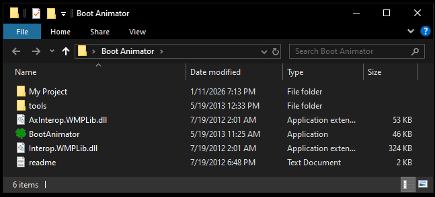
• Open “BootAnimator” in the newly created “Boot Animator” folder:
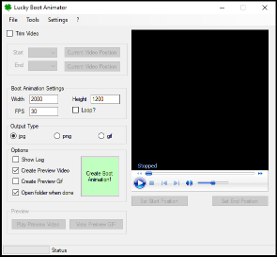
• Select the target video file (.mp4 recommended) to be converted from the “File” Tab
• Check “Trim Video” and adjust “Start” and “End” to desired parameters if needed
• Enter Width & Depth in “Boot Animation Settings”
• (Examples: 2000x1200 or 1280x720)
• Unselect “Loop?”
• Select “jpg” for “Output Type”
• Select “Open folder when done”
• Select “Create Preview Video” if desired
• Select “Create Boot Animation!” (Ignore warning prompt if “Trim Video” isn’t required)
• “My Project” folder for Boot Animator app will open
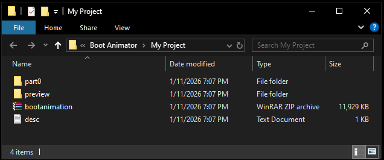
• The bootanimation.zip file has been created and ready to be installed!
- Installation Instructions located below, or on the FAQ on Telegram
• The “part0” folder and “desc” file can be deleted after review of the output
• If selected, the preview video is located in the “preview” folder for later use
👇SHARE ON TELEGRAM! 👇
DUDUAUTO Telegram Channel: Bootanimation/Анимация загрузки
Boot Animation installation Instructions:
- Format a USB flash drive (FAT32)
- Create or download a “bootanimation.zip” with the correct head unit screen resolution
- Copy the “bootanimation.zip” to the ROOT of a the USB drive
- Download and uncompress the current version of DUDUOS you have installed from the official forum to your computer. Copy the “lsecXXXXupdate” file for your chipset from your downloaded archive of the latest current DUDUOS firmware that you have installed, to the ROOT of the USB drive:
DUDU7 (UIS7870) - lsec6318update
DUDU5,6 (UIS7862) - lsec6315update
DUDU3,4 (UIS8581) - lsec6316update
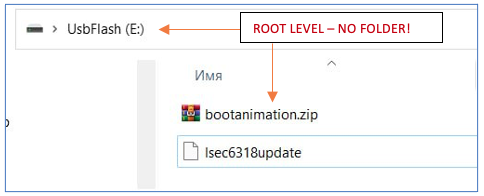
There should be only 2 files in the ROOT of USB!.
As an example in the screenshot, the animation setting for DUDU7 is prepared.. copied files in the ROOT of the USB drive will look as shown in the screenshot below👇 👇 👇 👇 👇 👇 👇 👇 👇 👇 👇 👇 👇
- Insert the USB flash drive into a single USB connector of the head unit.
(The head unit must be turned on. If it is turned off or in sleep mode, turn it on)
- Wait for a pop-up window to appear with a request for a firmware update and a countdown and click OK
Do not turn off the head unit during the update, do not put it to sleep mode. This can affect the firmware update process and could cause issues
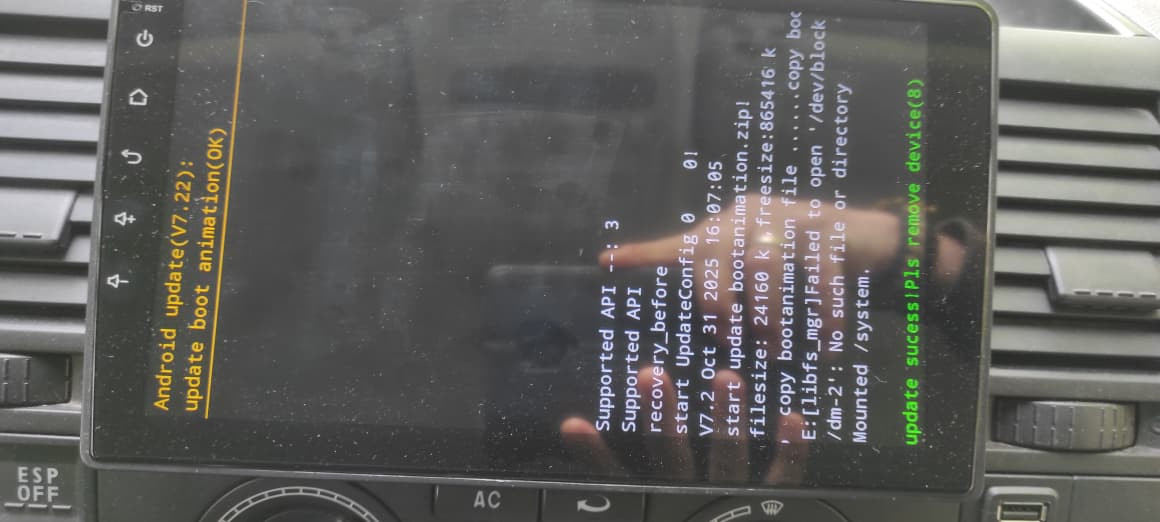
- Wait for the appearance of a GREEN prompt with an increasing time. This is the end of the head unit firmware procedure. At this stage, you need to disconnect the USB drive and wait for the head unit to restart and your new boot animation should display