Hi everyone,
I have a typical no-name Chinese Android head unit with the following specs:
Platform: KYD-53
MCU: KYD_53.6315_N32P48F64_E60_V1.0
CPU: UIS7862 (7862) Octa-core, 8 GB RAM / 128 GB storage
Originally Android 13
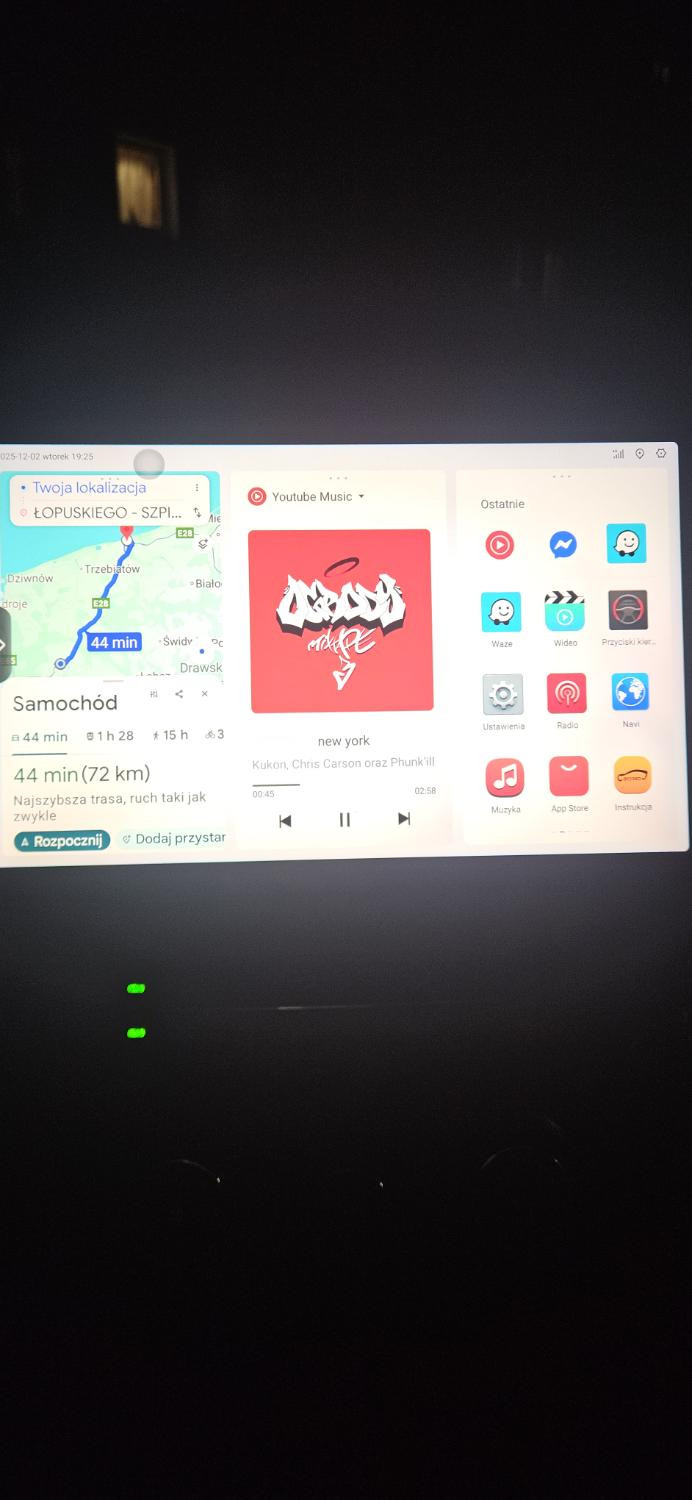
I successfully installed DuduOS 1.013003 via the public .apk file from USB (installed just like a normal app through the file manager). Everything works great – full Polish language, split-screen, CarPlay/Wired AA, etc.
Problem:
I have absolutely no bottom navigation bar / Quick Operation Center (the thin bar that should appear on the bottom with Back/Home/Recents + quick settings, clock, etc.).
On all screenshots and videos of 3.6E / 3.7 this bar is clearly visible (or at least can be pulled up from the bottom-right corner), but on my unit it simply doesn’t exist.
Things I already tried:
Long-press on desktop → nothing
Swipe up from bottom-right corner → no reaction
Minimalist mode on/off
Dudu Settings → Desktop Settings → no “Navigation Bar” or “Quick Bar” option
System Settings → Display → Navigation → tried gesture navigation and 3-button bar → still nothing
Rebooted multiple times
My question:
Does anyone with a Chinese KYD-53 (or similar Rockchip 7862) unit that installed DuduOS from the .apk (not full OTA/flash) have the same issue?
Is there a separate .apk, patch or hidden setting to enable the bottom Quick Operation Center?
Or does the bar only appear after a full 3.6E/3.7 OTA installation (not the old 1.013003 apk method)?
Any help or confirmation would be greatly appreciated!
Thanks in advance!