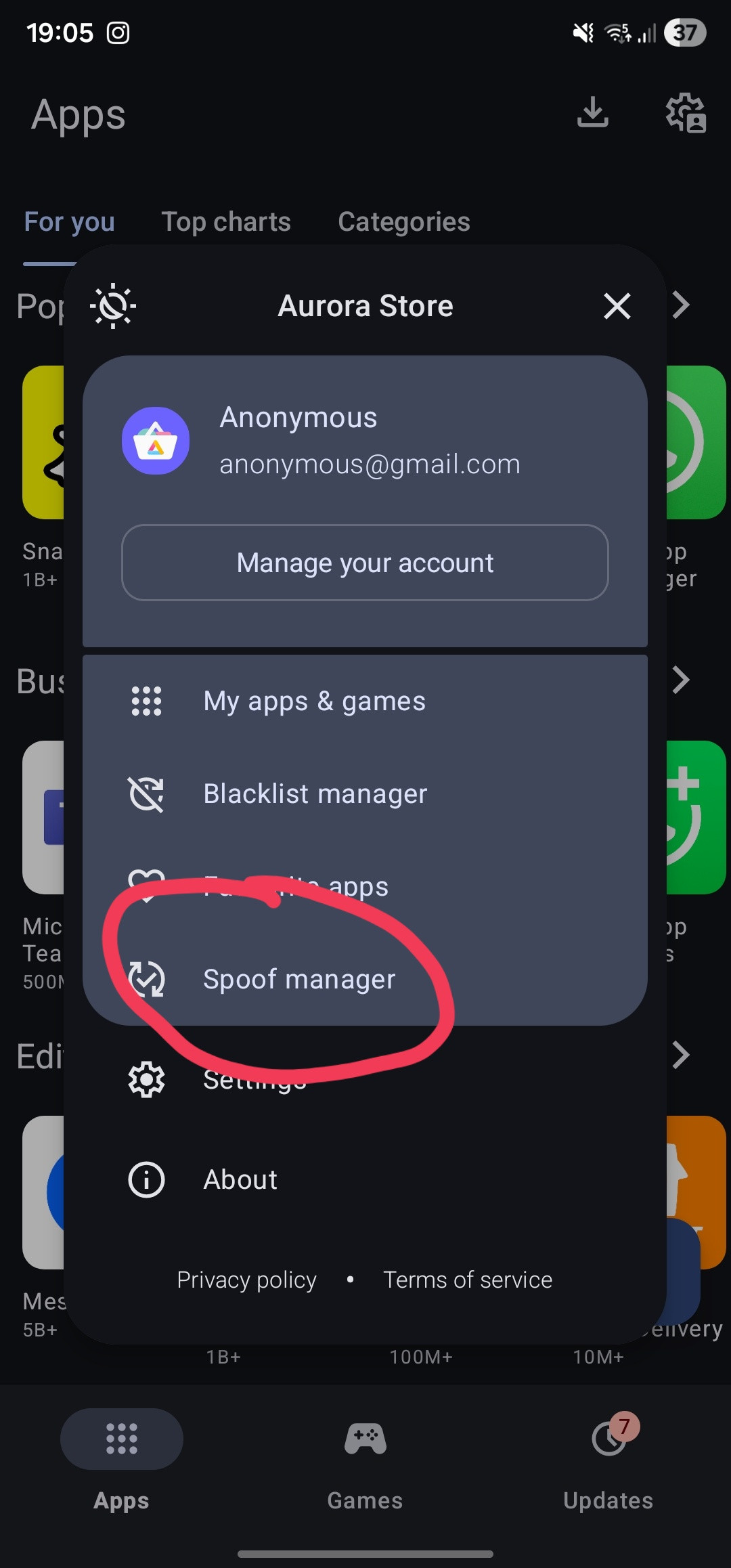
BBishop123 I just found a solution. Download aurora store (its basically a copy of playstore that allows you to change what devices app versions you can install)
https://www.auroraoss.com/files/AuroraStore/Release
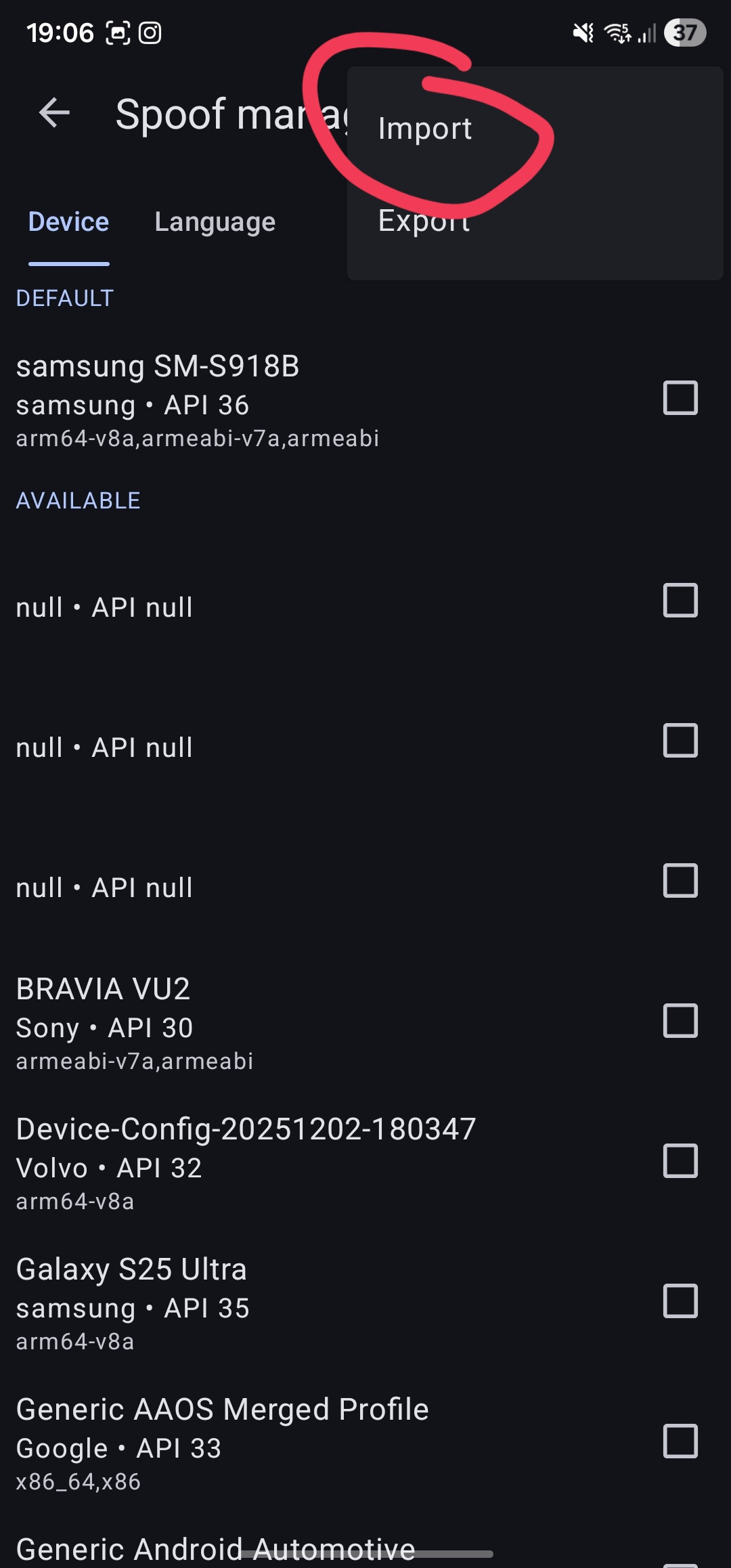
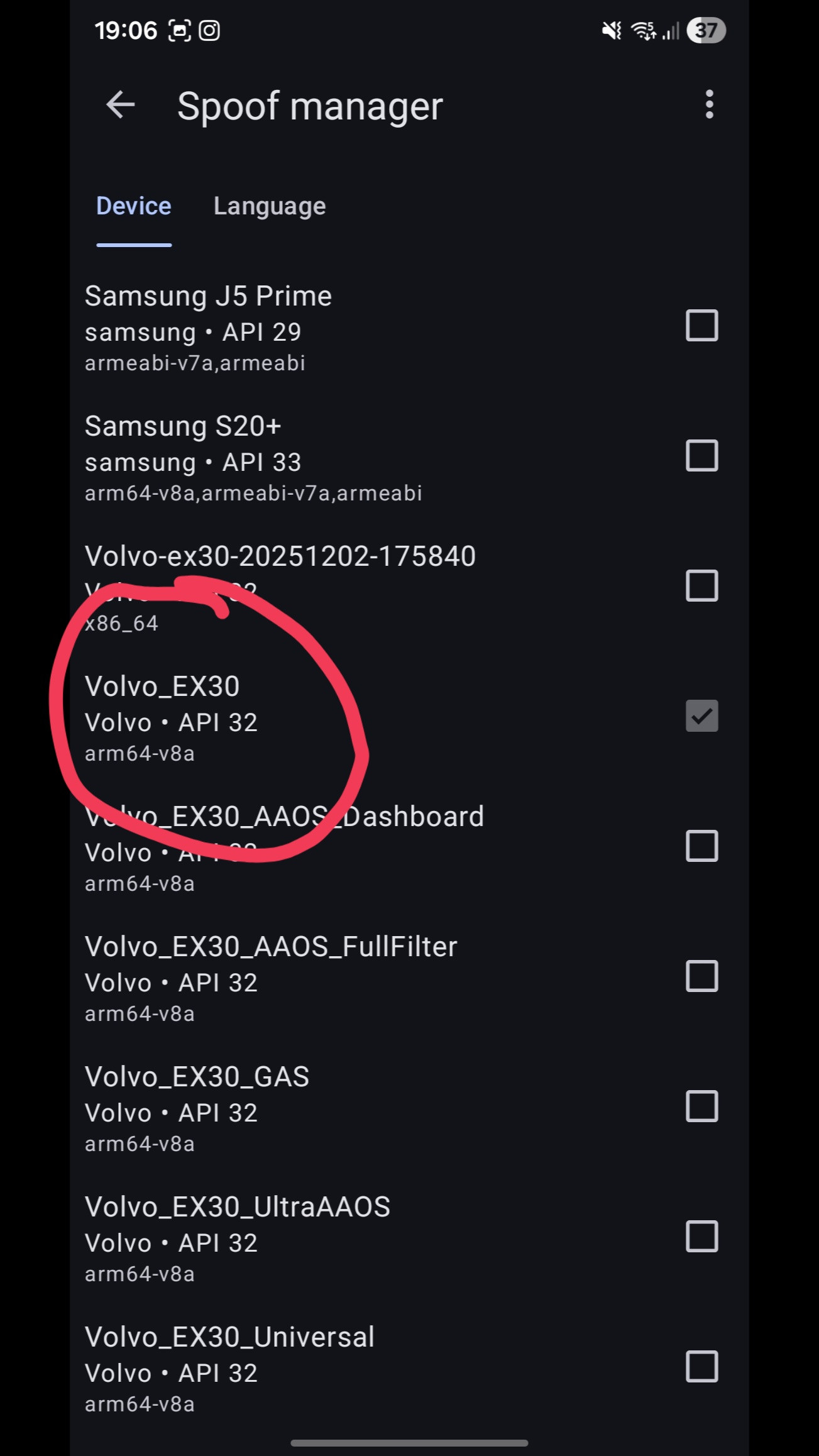
then use the spoof manager and click the three dots in the top right corner and import this file:
Rename the file, change the ".txt" to ".properties"
Then the app will restart, use the anonymous log in option, don't sign in with a Google account. Then search up maps and install it. Again make sure you uninstalled the original version of Google maps before.
Launch Google maps and it should have automatically signed you in.
You can update the app through aurora store, just make sure you have the above config file set before installing updates.